
Most security teams don’t actually suffer from a visibility problem. They suffer from an asset inventory problem.
A frontend engineer pushes a feature branch behind a Vercel preview domain. Marketing sets up a separate Cloudflare zone for a landing page campaign. A developer spins up an EC2 instance with an Elastic IP “just to debug an issue over the weekend.” Fast forward three months: your external footprint has outgrown the shared spreadsheet you were relying on to track it.
OASM is built around a practical premise: your attack surface should be discovered programmatically, not maintained by hand.
Instead of forcing you to catalog every hostname and CIDR block manually, OASM interfaces directly with the systems that already run your infrastructure —your cloud accounts, CDN edges, and DNS providers. It pulls assets in, resolves relationships, tracks drift on a schedule, and pings your on-call team via Telegram or custom webhooks the minute a perimeter changes or a new vulnerability surfaces.
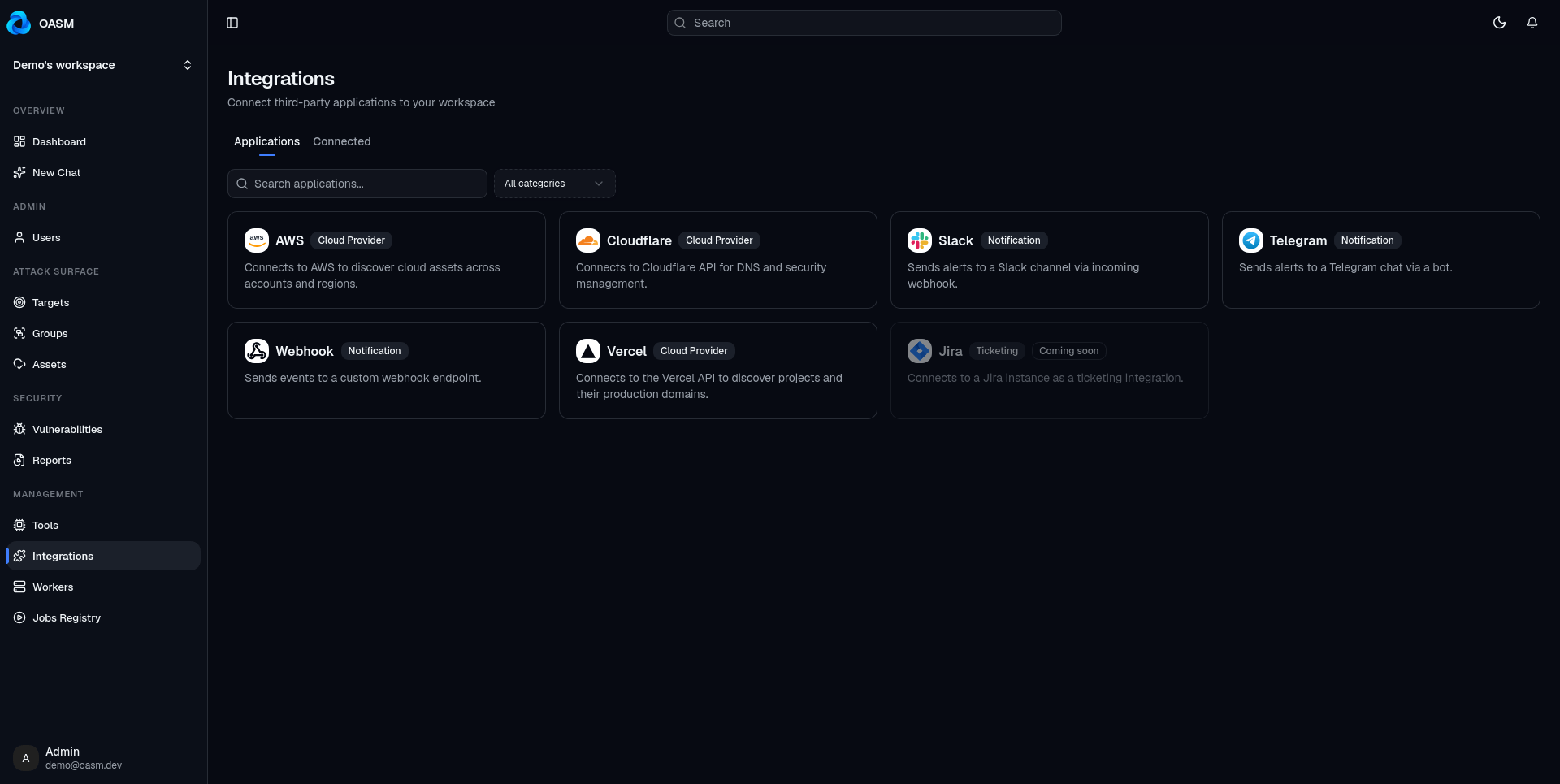
Here is a look under the hood at how our core integrations work across AWS, Cloudflare, Vercel, Telegram, and raw HTTP Webhooks.
The Underlying Ingestion Model
Before digging into individual cloud providers, it helps to see how data flows inside OASM. Integrations are organized into three functional buckets:
Cloud Providers: Ingest external-facing infrastructure (AWS, Cloudflare, Vercel).
Notifications: Dispatch contextual alerts (Telegram, Webhooks).
Ticketing: Issue tracking bridges (currently scaffolded in our engine for Jira and GitHub Issues).
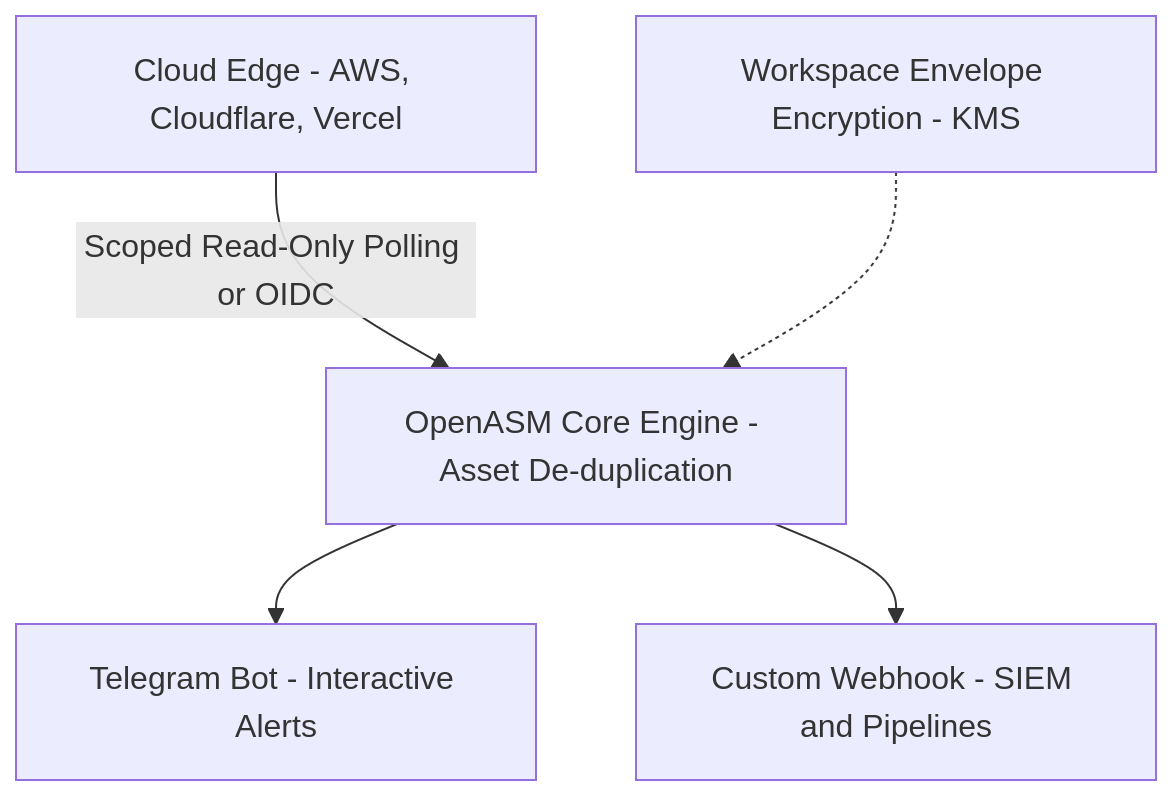
Rather than building rigid, hardcoded UI forms for every vendor API, the OASM console is strictly schema-driven. Each integration backend declares its parameters via JSON Schema. The web frontend dynamically parses that definition into an input form. This architecture means a simple Cloudflare scoped API token and a complex multi-account AWS cross-account role assumption run through the exact same operational pipeline.
For sensitive credentials, we implement per-workspace envelope encryption at rest. Secret fields are encrypted before hitting disk, and the frontend only ever receives masked representations (****1234). Plaintext secrets never leave the backend boundary.
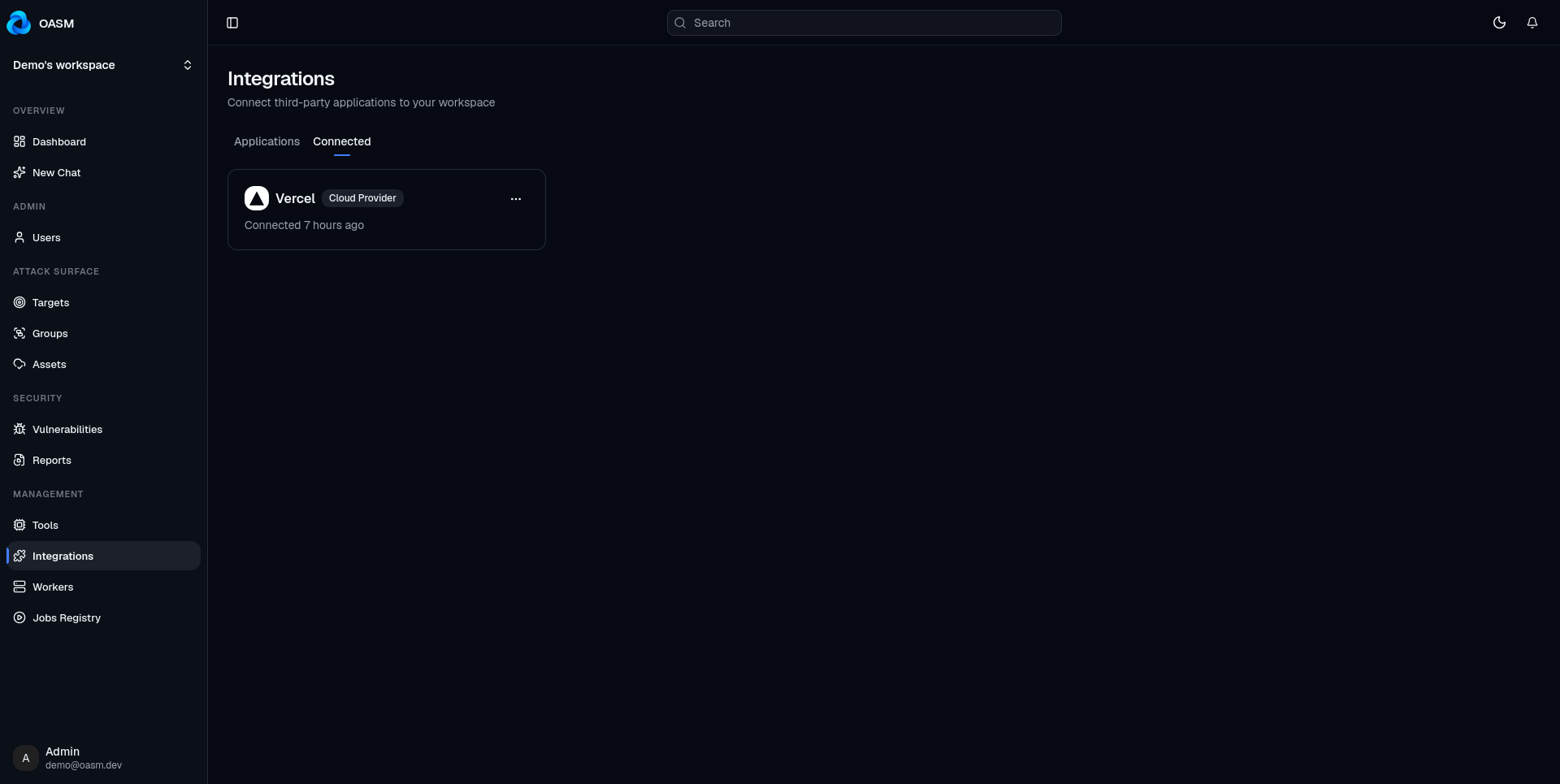
Setting up any provider takes less than a minute:
Navigate to Integrations → Applications.
Select your target provider tile.
Supply the required scope/credentials and hit Connect.
Use Test Integration for a dry-run health check, trigger an immediate manual sync, or define a recurring UTC cron expression.
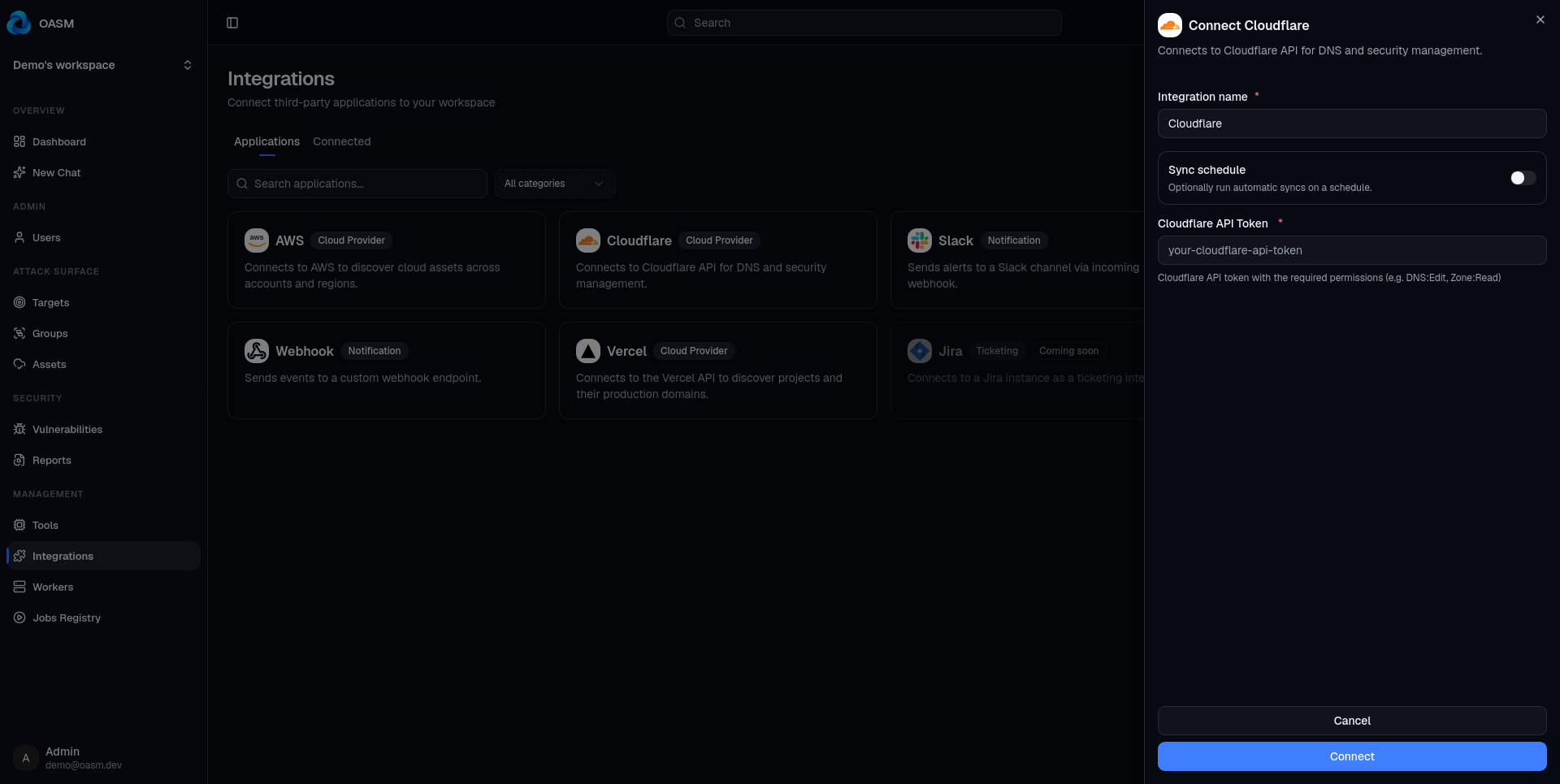
Now, let’s look at each integration in turn.
AWS: Multi-Account Discovery Without Static Keys
Large-scale AWS estates are rarely isolated to a single account or region. The OASM AWS integration crawls your account footprint to map every publicly routable edge.
The integration operates with strict read-only boundaries (restricted to List*, Describe*, and Get* IAM primitives):
Route 53: Public hosted zones, parsing
A,AAAA, andCNAMErecords.CloudFront: Active CDN distributions, domain aliases, and origin hostnames.
S3: Bucket enumeration combined with policy evaluations to flag genuine public exposure.
EC2 & Networking: Instances bound to public IPv4/IPv6 addresses, Elastic IPs, and internet-facing ALBs/NLBs.
API Gateways: HTTP/REST endpoints (v1 and v2), automatically filtering out private VPC deployments.
Databases: RDS instances with public accessibility flags enabled.
Every discovered host or IP address is mapped to a core Asset entity, tagged with source: aws and enriched with ARN metadata so you can trace ownership back to the exact cloud resource.
Authentication Strategies
Because infrastructure topologies differ, OASM provides five distinct auth patterns:
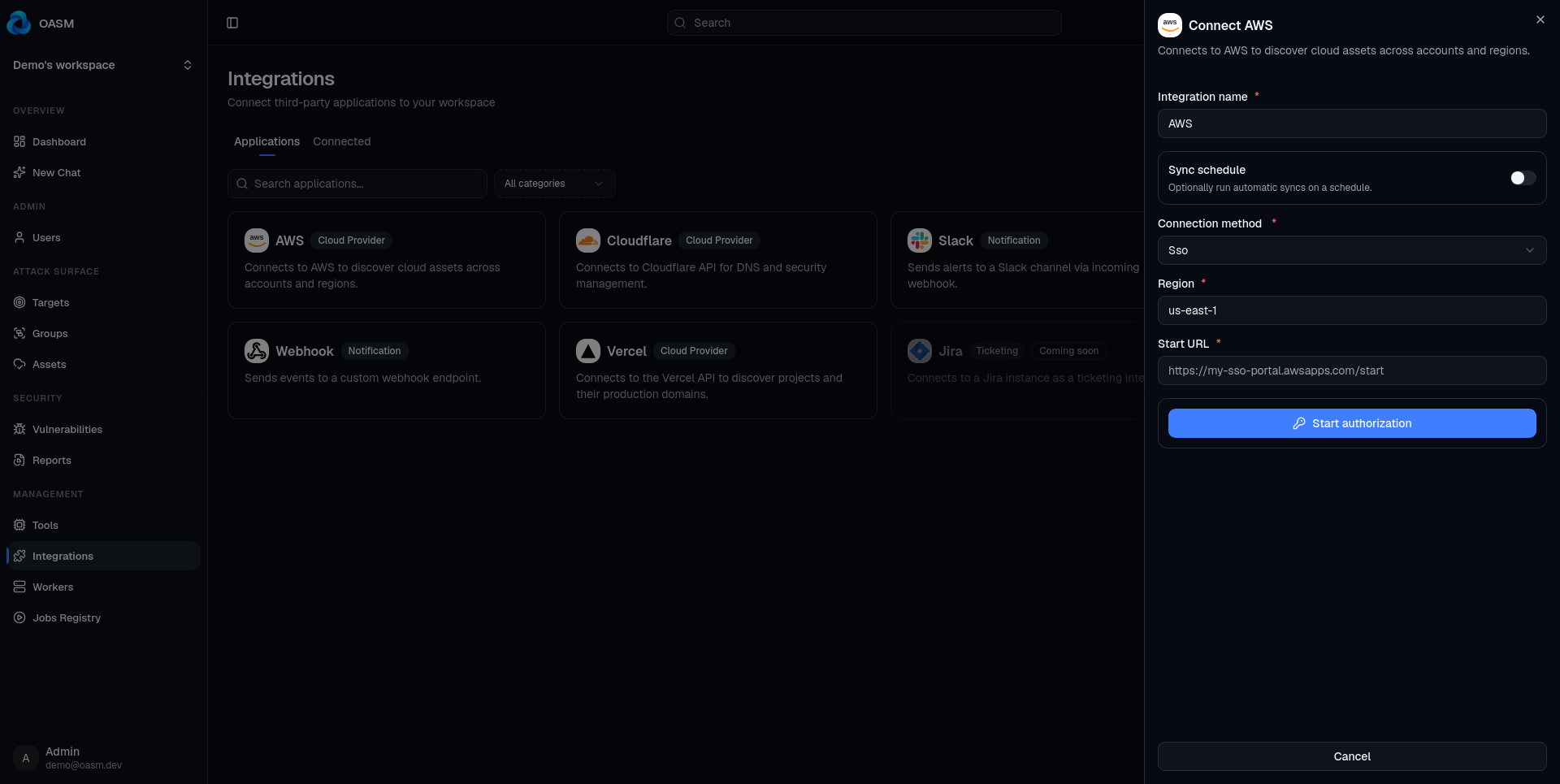
To prevent quota exhaustion on large AWS Organizations, the scanner enforces hard API call budgets, regional concurrency limits, and execution timeouts. If a sync reaches a service quota limit, it returns a gracefully truncated asset inventory rather than crashing the scan job.
Cloudflare: Zeroing In on Live DNS Edges
Cloudflare holds the authoritative view of your public perimeter. Setting up ingestion takes a single scoped API token (Zone:Read, DNS:Read). You don’t even need to feed it specific Account IDs or Zone IDs; OASM automatically lists every active zone the token has visibility over.
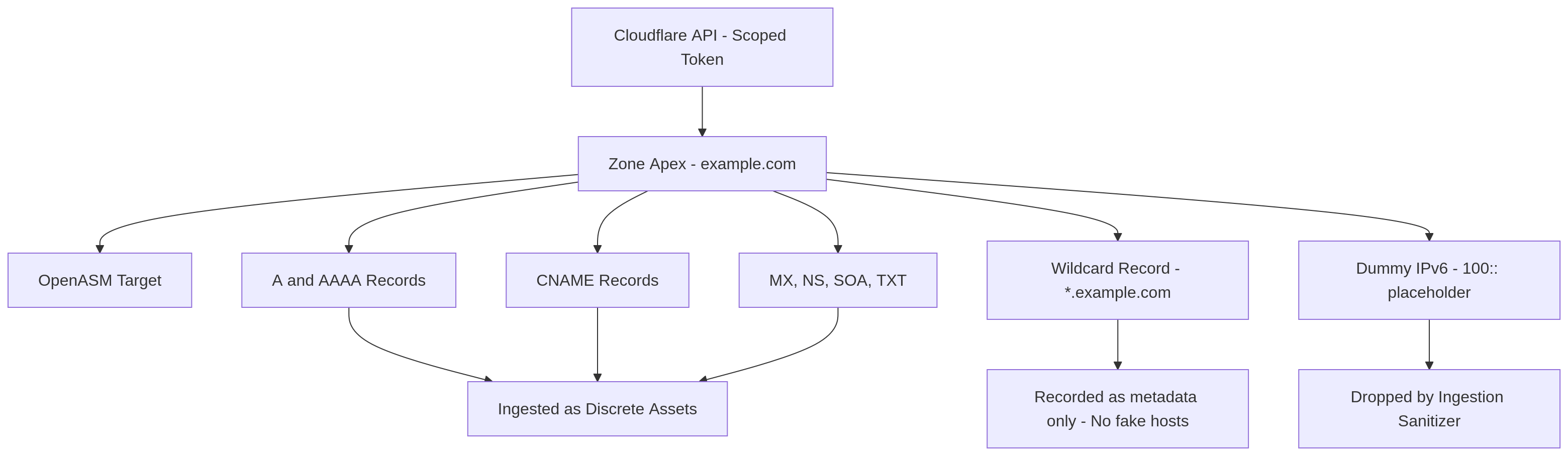
The crawler captures core record types (A, AAAA, CNAME, MX, NS, SOA, TXT) and turns each zone apex into a primary Target, while individual record hosts become discrete Assets.
We also bake in several opinionated sanitization heuristics:
No synthetic wildcard expansion: Wildcard records (
*.example.com) are cataloged as metadata, but they do not spawn placeholder assets. Generating fake hosts off wildcards creates scan noise and distorts vulnerability metrics.Cloudflare placeholder filtering: Any synthetic DNS routing artifacts (such as Cloudflare’s internal
100::IPv6 dummy address) are stripped out during the ingestion phase.Idempotent state reconciliation: Instead of appending stale entries indefinitely, each sync replaces the DNS topology with the latest upstream snapshot. If a DNS record is deleted in Cloudflare, it is phased out in OASM during the next sync run.
Vercel: your deployments, including the ones you forgot
Frontend platforms make shipping code frictionless—which makes them the single largest source of untracked subdomains and abandoned staging environments.
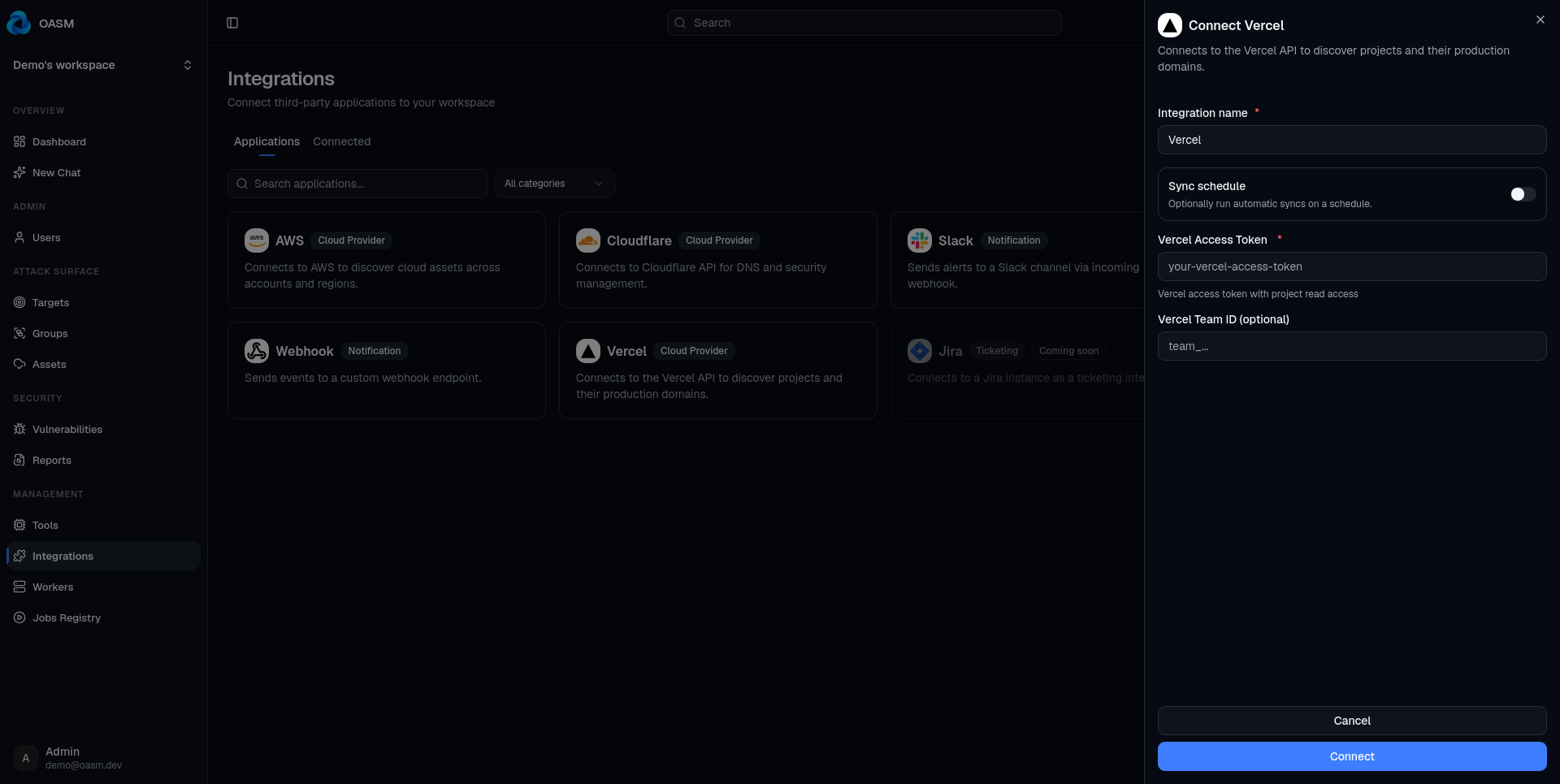
The Vercel integration authenticates via a read-scoped Personal or Team Access Token. It enumerates projects across your teams, pulling domain configurations while separating production traffic from build artifacts:
Signal over noise: The sync engine discards preview branch URLs, dynamic PR builds, and internal redirection hosts. These short-lived environments churn too quickly to warrant long-term surface tracking.
Shared suffix isolation: Because thousands of organizations share the
*.vercel.appparent domain, the engine bypasses traditional domain-collapsing rules. It treats individual project subdomains (e.g.,checkout-app.vercel.app) as standalone asset boundaries rather than incorrectly merging them under a single company-wide target.Live custom domains: Production custom domains and verified project aliases are immediately pulled into your active scan target pool.
Unlike short-lived AWS OIDC sessions, Vercel tokens cleanly support recurring cron schedules, making it easy to catch rogue frontend environments the day they get deployed.
Telegram: alerts in the pocket of everyone who needs them
Discovering an exposed bucket or an unpatched CVE doesn’t help if the alert sits inside a dashboard nobody opens. The Telegram integration is built to drop critical findings straight to on-call engineers.
Instead of asking you to extract and paste obscure numerical Telegram Chat IDs, OASM implements a clean pairing handshake:
Enter your Telegram Bot Token (obtained from
@BotFather).Click Pair inside the integration pane to generate a single-use deep link and QR code.
Tap the link or scan the QR code on mobile. The bot validates the 10-minute pairing token and binds the chat session to your OASM workspace.
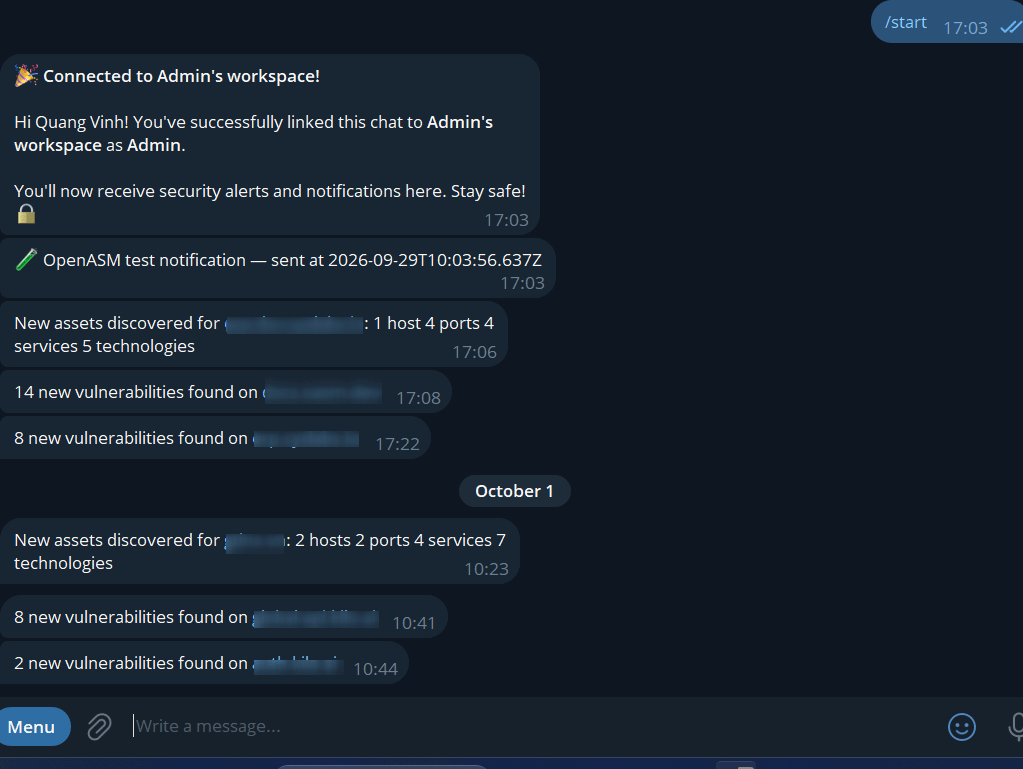
Multiple engineers or group channels can pair to the same workspace. From there, the bot pushes three high-signal, de-duplicated operational notifications:
New Vulnerabilities: Triggered when automated scanning workers uncover a new CVE or misconfiguration on an asset.
Perimeter Expansions: Triggered when a cloud sync detects a newly registered domain or exposed host.
Scan Failures: Flags any worker timeouts or incomplete sweeps, preventing broken discovery jobs from posing as a “clean” bill of health.
The welcome and error messages are human — for example, a successful pairing replies with a message naming the workspace you just connected to.
Webhooks: Piping Structured Events Anywhere
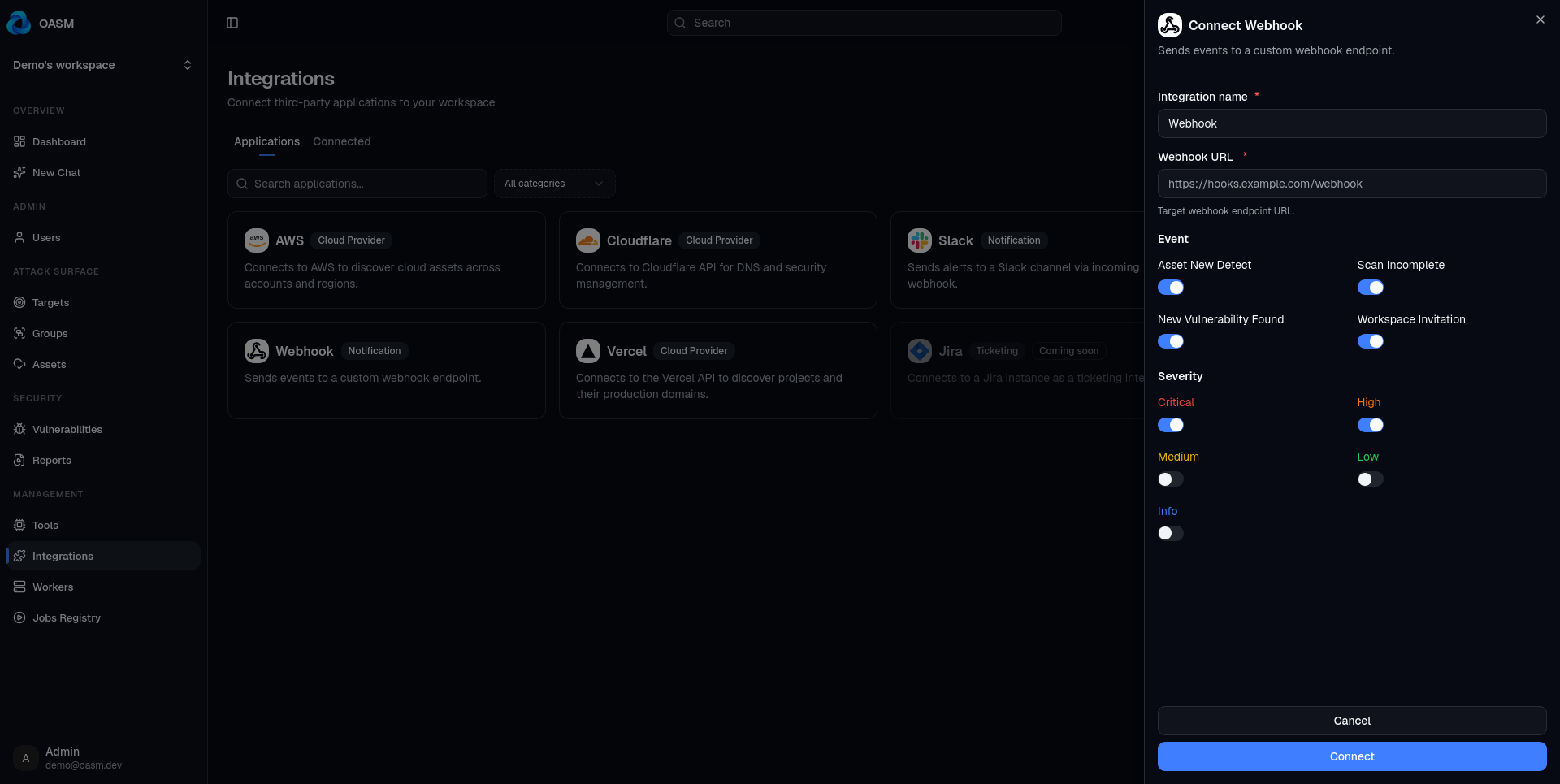
Telegram works well for human alerting, but automation pipelines require machine-readable streams. The Webhook notification integration turns perimeter events into standard HTTP POST calls.
Provide any HTTPS endpoint, select your event subscriptions, and OASM will push payloads formatted with a consistent, lightweight JSON structure:
{
  "text": "3 new vulnerabilities found on app.example.com",
  "metadata": {
    "count": "3",
    "assetValue": "app.example.com",
    "targetId": "0f1e…",
    "assetId": "9c2a…"
  },
  "workspaceId": "a4b8…",
  "timestamp": "2026-10-03T12:34:56.789Z"
}
Every delivery is accompanied by an immutable timestamp and workspace isolation IDs, making it trivial to ingest into SIEMs (Splunk, Elastic), build custom middleware, or fan out to incident response platforms like PagerDuty or Opsgenie.
Security recommendation for Webhooks: Because webhooks do not enforce custom authorization headers out of the box, we advise embedding a high-entropy secret token directly within your receiver’s URL path or query parameter (e.g., [https://hooks.internal.net/openasm?token=sec_live_9f8](https://hooks.internal.net/openasm?token=sec_live_9f8)...) and enforcing TLS 1.3 across all receiver endpoints.
Keeping Assets Honest
Modern attack surfaces degrade into chaos the moment discovery stops running. In OASM, operational state across every provider is anchored by three controls:
Test Integration: for cloud providers this is a dry run: it validates credentials and counts what it would import, without writing anything or touching your last-sync timestamp. For notification integrations, it sends a real test message to your Telegram chat or webhook endpoint.
Sync now: kicks off an immediate import.
Sync schedule: an optional cron expression (in UTC) for automatic, recurring syncs. It’s available only on cloud-provider integrations, since notification integrations are event-driven rather than polled.
Wrapping up
Attack surfaces don’t expand because teams are negligent; they expand because engineering velocity moves faster than manual spreadsheets can track.
By plugging OASM directly into the APIs running your DNS, cloud compute, and deployment layers, you turn external surface discovery from a reactive quarterly chore into a background pipeline.
Check out the OASM Documentation to get started.
OASM is open-source and developed in public. If there is a cloud provider or notification bridge you want to see added next, come open an issue on our repository or join our community discussions.
Have feedback on this post, or an integration you’d like to see next? Open an issue or join the conversation - we’re building in the open.