
The doors nobody counted
Every organisation — every project, every side business, every hobby server — has more doors than anyone has counted.
A marketing site from 2019 that is still running. A test server from a project that finished two years ago. A login page someone added “just to check something quickly.” A file-sharing link pointing at a storage bucket that outlived the person who made it.
None of that is an attack. It is just infrastructure that was never cleaned up. But from the outside, all of it is a door — and someone out there is looking for exactly this, because it costs them nothing. They do not need a clever exploit. They just need to find something that was left open.
This is your attack surface: everything out on the internet that someone could reach and try to use against you.
And here is the uncomfortable part. Most teams cannot answer one basic question about it. If someone asked you right now — “what have we put out there, and what is different from last month?” — could you answer with confidence? The spreadsheet is always behind. The list in someone’s head is worse. Nobody really knows.
What OASM does about it
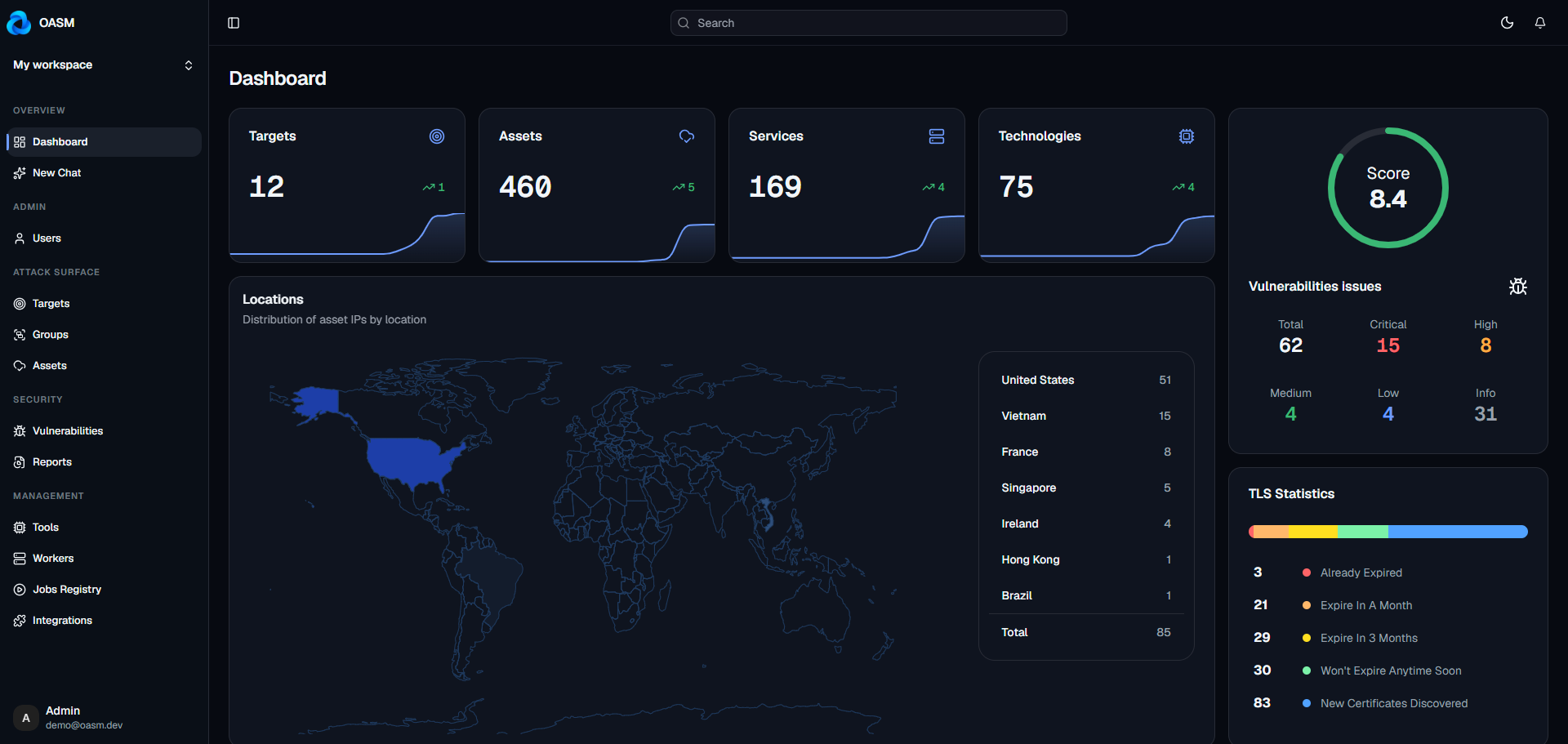
OASM is a free, open-source tool for keeping track of that — you can find it at oasm.dev. Point it at what you own, and it keeps doing three things in the background: finding what you have exposed, working out what is running on it, and telling you what is wrong with it.
Three promises shape all of it:
Continuous — not a PDF you get in April. It keeps watching, so you hear about a problem the week it appears, not the quarter after.
Complete — every host, port, and service it can find, not just the ones somebody remembered to write down.
Yours — free to download, free to run, and your infrastructure map never has to leave your own machines.
That last one is the reason this exists in open source at all. I will come back to it in a moment.
Why not just pay for a commercial tool?
Tools in this category are mostly sold to large companies. They generally work. They also come with an annual contract, pricing that goes up as you want to scan more, and a closed box around the data — you can run a scan, but you cannot see how the answer was produced, and you cannot add your own tools to it.
That trade-off stops making sense for a lot of people. If you are a small team. If you run an open-source project. If you would simply rather not hand a complete map of your infrastructure to a company you have never met. Or if you just do not want to pay for something you can read.
OASM is free and open source. You run it yourself. You pay for the machine, not the licence.
What OASM actually does
1. It finds things you forgot you had
This is the core job. Give OASM your domains and it keeps discovering whatever is publicly reachable — the extra subdomains, the stray servers, the open ports, the forgotten services. The list stays current on its own instead of depending on someone’s memory.
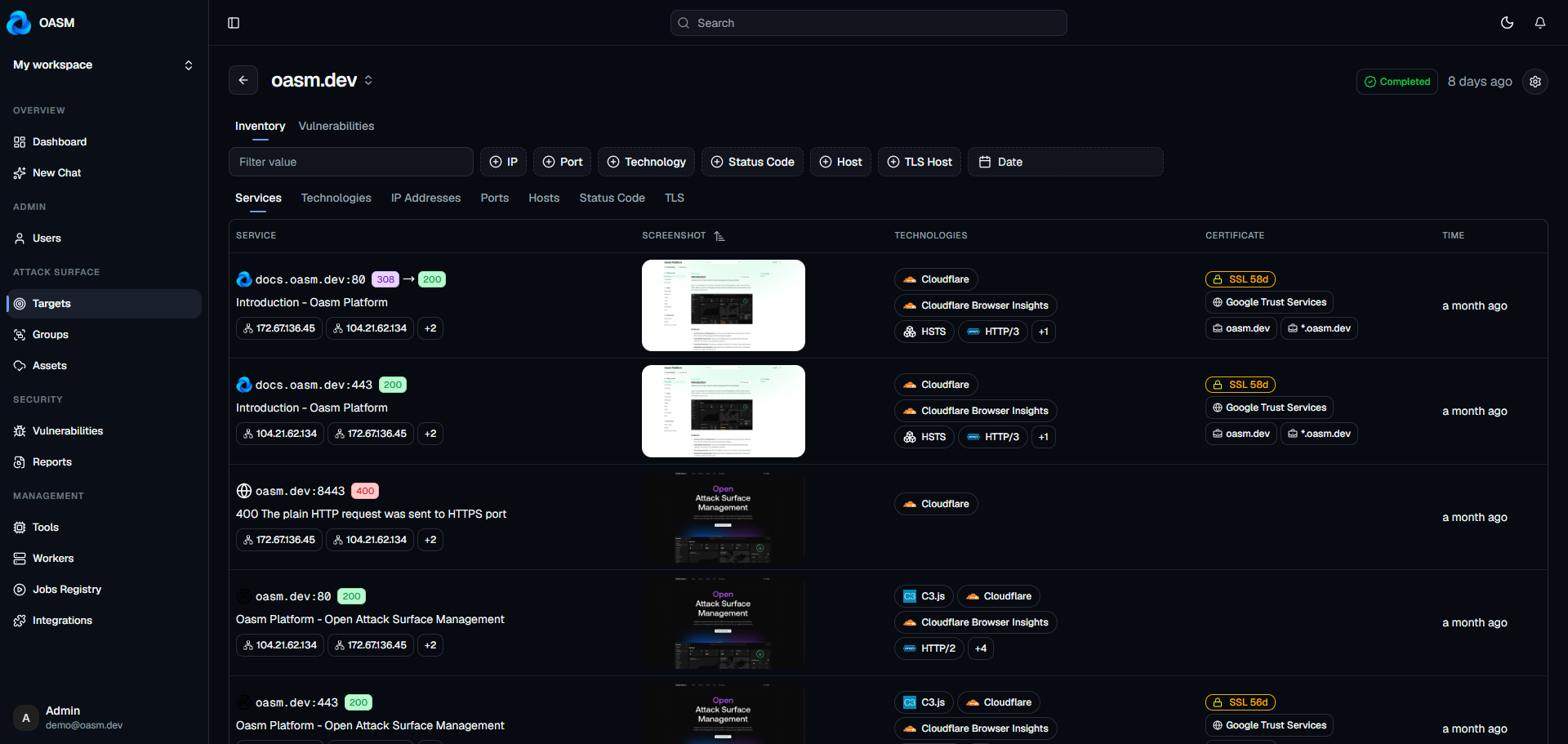
You can group related things together and check each group on its own schedule, so a handful of important systems get looked at far more often than everything else.
One detail worth knowing: newly discovered items can be held aside for review instead of being treated as yours immediately. When one domain turns into two thousand hosts, you want a human deciding what actually counts.
2. It tells you what is running
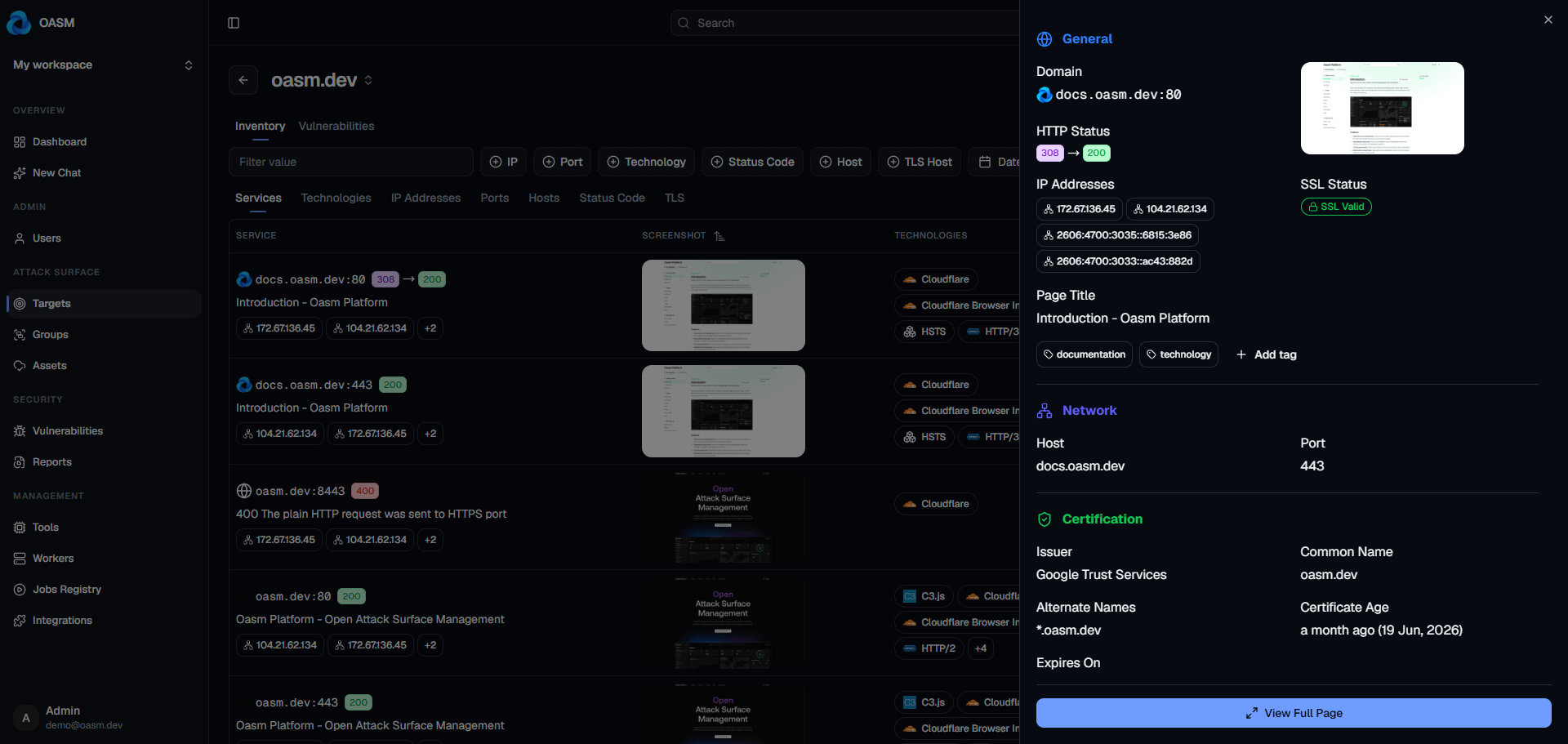
Knowing you have a server is much less useful than knowing what it is running. OASM identifies the software, platforms, and services on everything it finds.
That sounds like a detail. It is not. When a serious flaw is announced in some widely used piece of software, this is how you find out in minutes whether you are affected — instead of reading a bulletin and hoping.
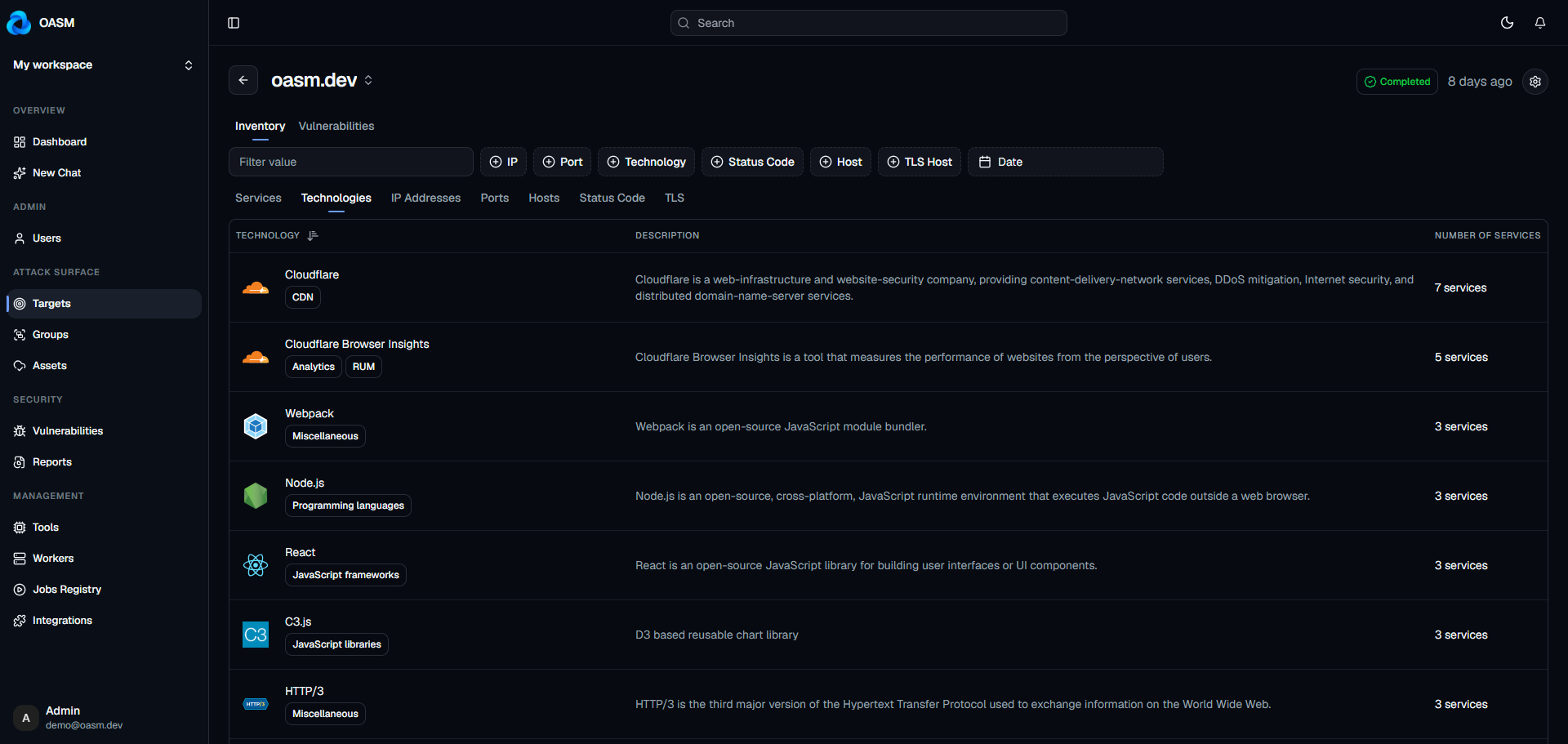
It also works out where your systems are located in the world, which is genuinely useful the first time you realise you have no idea which countries your infrastructure sits in.
3. It tells you what is wrong
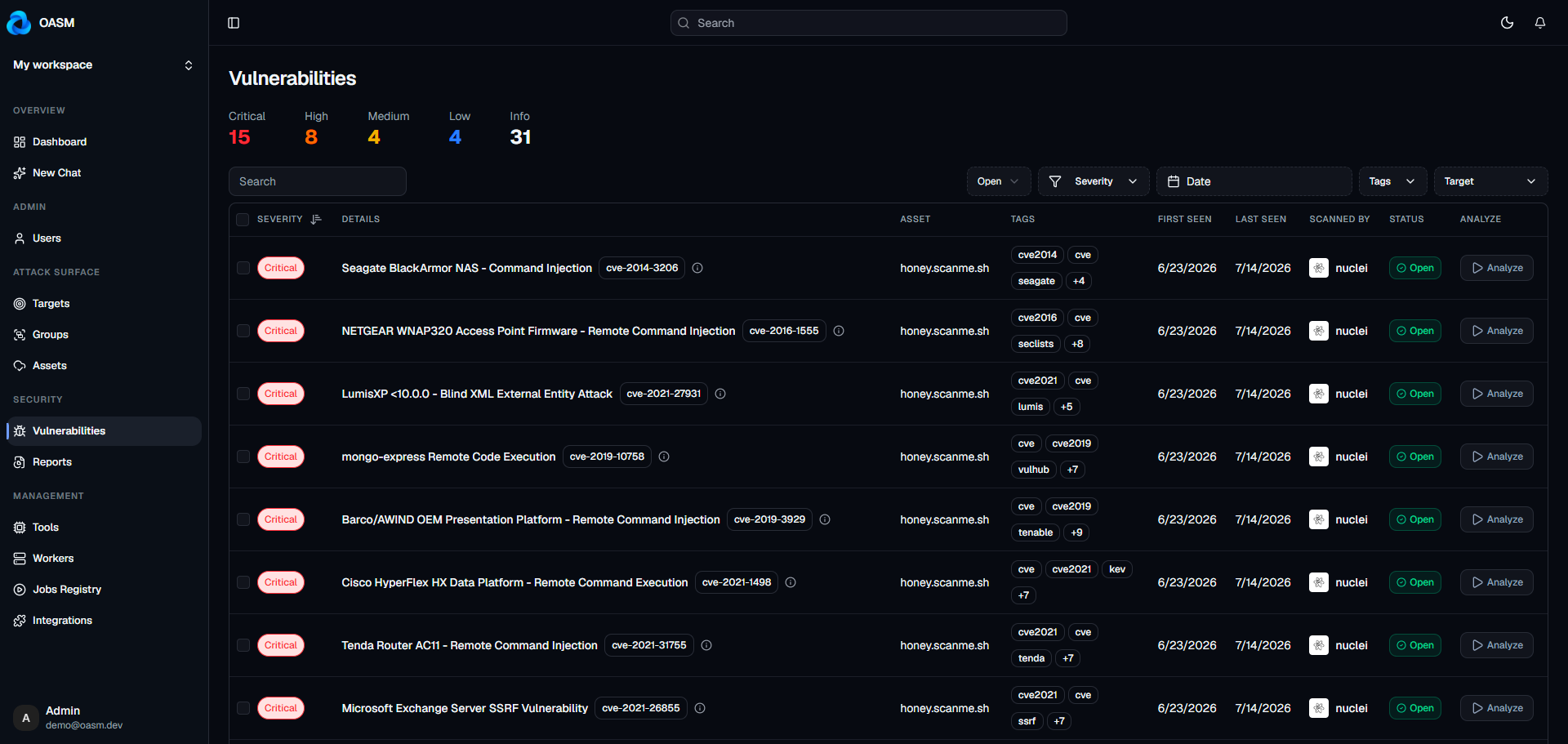
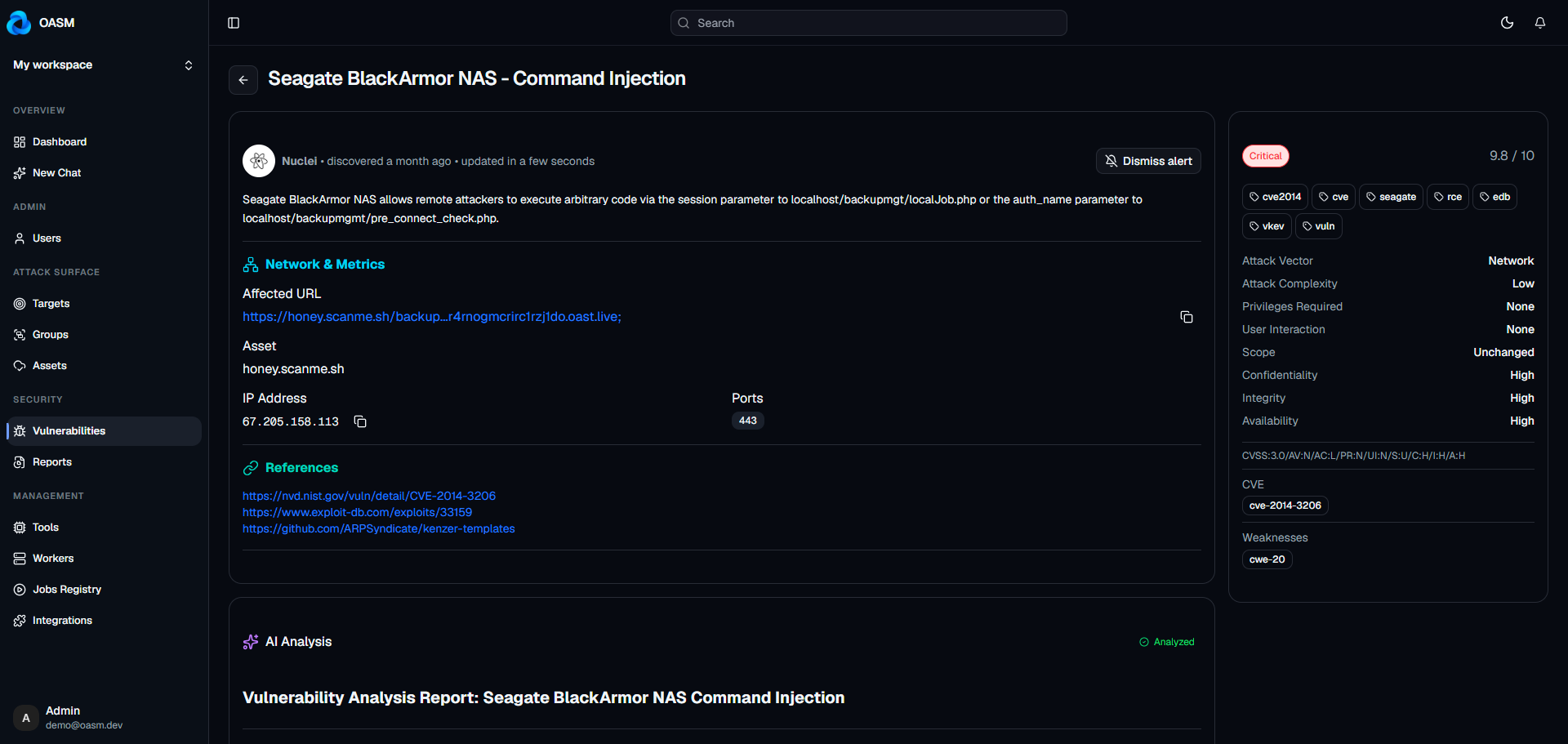
Then it checks everything for known flaws and common security mistakes, and keeps track of them with a severity rating and a suggested fix — so you end up with a short list to work through rather than a folder of raw output nobody wants to open.
4. It never stops checking
Checks run on a schedule or whenever you ask, and OASM keeps a visible record of every single one — what ran, when, and how it ended. So instead of wondering whether last Tuesday’s scan quietly died halfway through, you can just look.
You can also make the repetitive parts automatic: check for new things every night, and automatically look at whatever turns up.
5. It gets bigger when you need it to
Looking for problems across a lot of machines takes real computing power, and that is the one thing you cannot buy your way out of with a licence.
If your footprint is small, a single ordinary machine is plenty. If it grows, you add more machines to share the work. You are not buying a bigger plan — you are using hardware you already have.
6. It works with tools you already know
OASM comes with a solid set of scanners built in, covering the well-known open-source security tools that people already trust.
And you are not stuck with that list. If there is a scanner you like that is not on it, you can add it yourself. The practical benefit is simple: when something new shows up in the security world, you can start using it without waiting for it to be folded into a release.
7. You can just ask it questions
This is the part I did not expect from a security tool. OASM has a built-in assistant, and it can also connect to whichever AI assistant you already use.
So instead of filtering through tables and building filters, you can ask in ordinary language: “which of my external systems are running software with known critical flaws?” or “what is exposed on the subdomains that look abandoned?”
Worth being precise about what this is: it is a way of asking questions about information OASM has already collected. It is not a machine inventing findings, and it is not a substitute for looking at the results yourself.
8. It tells the rest of your team
Results do not stay trapped in one browser tab. OASM can push events out to Slack, Telegram, or whatever messaging your team already lives in.
It also works in the other direction. Connect your cloud providers and OASM brings your assets in automatically on a schedule, so your list starts from what you already have instead of from nothing.
9. It works for more than one team
If you are not the only person dealing with this, OASM keeps separate spaces for different teams, clients, or environments — production and staging, say — with nothing leaking between them. Access is granted in groups, every action is written down, and you can produce a summary report for the people who need the headline rather than the detail.
Where to go next
OASM is free to run and you can host it yourself, but setting it up properly deserves its own walkthrough rather than three commands in a blog post.
If you want to see what it looks like first, start at oasm.dev. If you are ready to run it, the documentation at docs.oasm.dev has the install steps and everything else you will need.
The honest limitations
A first article should include these, because they are true and they will save you time:
You run it yourself. There is no hosted version to sign up for, so looking after it is on you. For a lot of people that is the entire point. For others it is a dealbreaker, and that is a fair reason to choose something else.
Speed depends on your own hardware. You can add more machines, but each one is hardware you provide. A large surface means genuine computing cost.
Give the scanning its own machine. Some of the checks are heavy enough that they should not be running on your laptop or your production servers. A small, separate box you are not worried about is the right home for it.
It is young software. It is good, and actively worked on, but do not expect the polish of something that has been in a commercial product for ten years.
Who it is for
Honestly? More people than the name suggests.
Small security teams without an enterprise budget
Anyone running an open-source project who wants to know what they are exposing
Organisations that cannot send infrastructure data to a third party
Developers who would rather read the code that decides a risk score than trust a black box
People who simply want to answer “what are we exposing?” on demand instead of once a quarter
And anyone who has ever found a forgotten subdomain and wished a tool had been watching
OASM is free and open source, and all of it runs on your own infrastructure. To try it, start at oasm.dev or read the documentation at docs.oasm.dev. If something here was unclear, tell me — that is what decides what the next post covers.